

You can split expenses with someone who does not have the app by adding them as a guest, no account or download required. Call It Even lets you create guest participants who exist only in your ledger, share a read-only link or QR code so anyone can see the split in a browser, and settle up across the gap however you already pay each other. The person who won’t (or can’t yet) install anything still gets a fair, itemized share and a clear picture of what they owe — you just carry them along instead of waiting for them to sign up.
Can you split a bill with someone who doesn’t have the app?
Yes — you split a bill with someone who doesn’t have the app by adding them as a guest participant, which is a person in your group who has no account and never needs one. You enter their name, assign them their share of each expense, and Call It Even tracks their balance exactly like it tracks a full member’s.
This solves the most common blocker in group expenses: one or two people who refuse to download another app, or who simply haven’t gotten around to it. Instead of leaving them out or doing their share on paper, you fold them into the same ledger as everyone else. Their balance is real, their history is recorded, and nothing about the split waits on them.
Guests work in every split mode — equal, exact amount, percentage, or shares — so a guest can owe a precise itemized amount, not just a rough average. When they finally do install the app, you can connect their guest record to their new account and carry the whole history over.
What is a guest participant and how does it work?
A guest participant is a named person in your group who has no Call It Even account, added through a shareable link or QR code so they can be part of a split without signing up. You create them in seconds, and from that point they behave like any other member of the group for the purposes of who owes what.
Here is what a guest can and cannot do compared with a full member:
| Capability | Guest participant | Full member |
|---|---|---|
| Be assigned a share of any expense | Yes | Yes |
| Appear in balances and the activity timeline | Yes | Yes |
| Be settled up against | Yes | Yes |
| View the group via a read-only link | Yes | Yes |
| Add or edit expenses themselves | No | Yes |
| Get push notifications | No | Yes |
The trade-off is simple: a guest is carried by the group instead of participating actively. Someone with an account manages the expenses; the guest just needs to know their number and pay it. That is usually exactly the arrangement you want with the friend who won’t install anything.
How do you share a split with someone who isn’t in the app?
You share a split with someone outside the app by sending them a read-only link to the trip or expense, which opens in any web browser with no login and no download. They tap it and immediately see the itemized breakdown and their share, on any phone or computer.
The read-only link is the bridge for anyone you can’t or don’t want to add as a member. It is contact-free — you don’t need their phone number or email in the app, just a way to send them a URL. Use it when:
- Someone wants proof of the math. Send the expense link so they can see every line and how their share was calculated.
- A guest needs to know what they owe. The link shows their balance without them installing anything.
- You’re settling with an outsider. Share the trip link so they can confirm the total before paying you back.
- You want a paper trail. The link is a stable, shareable record anyone can revisit.
Because the link is read-only, sharing it changes nothing in your ledger. The recipient can look but not edit, so you keep control of the numbers while still being fully transparent.
Pro Tip: When a friend swears they’ll “pay you later,” send them the read-only expense link right then. Seeing their exact share in a browser, itemized, turns a vague promise into a specific number they’re far more likely to actually send.
How do QR codes help add people without an account?
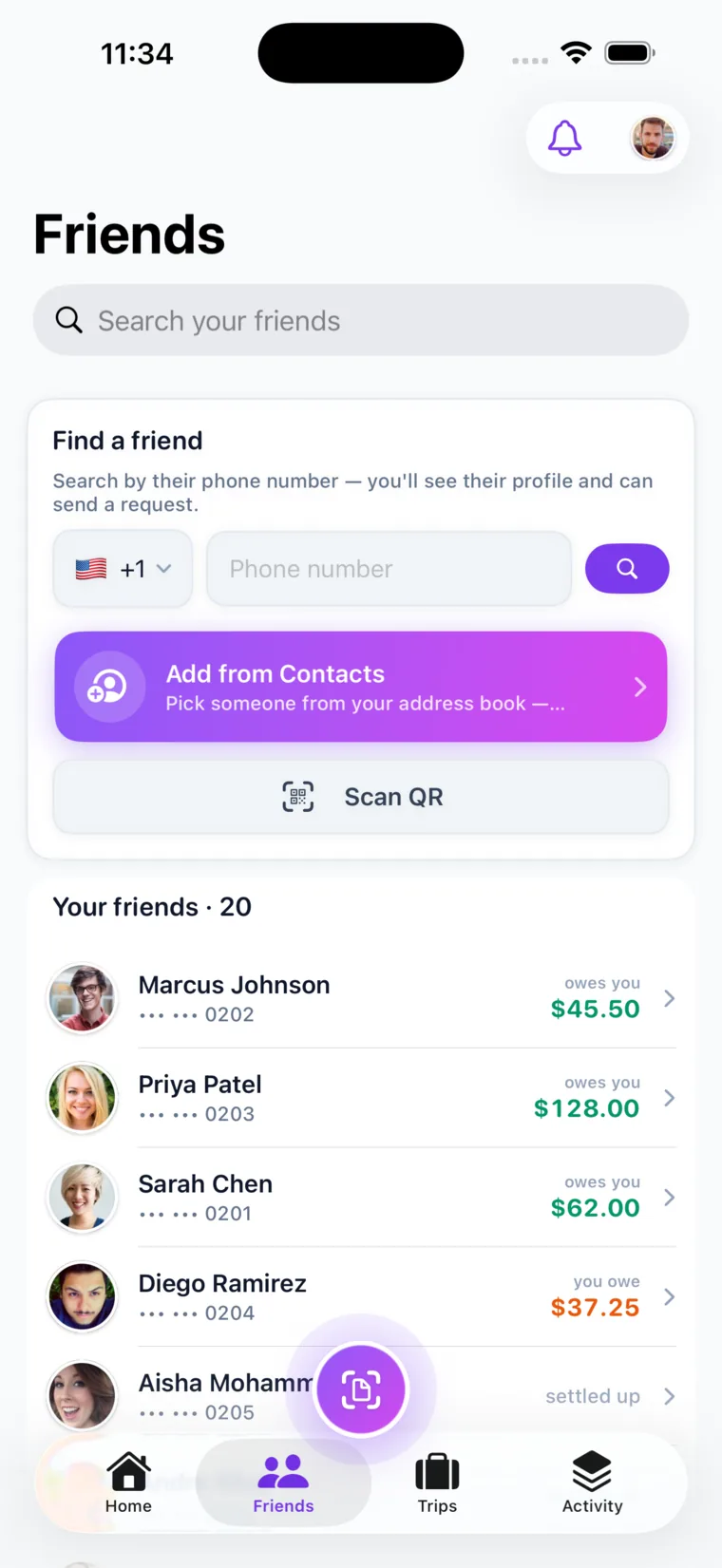
QR codes let you add someone or hand off a split face-to-face without typing any contact details — you show a code, they scan it with their camera, and they’re connected to the friendship or looking at the shared view instantly. It’s the fastest way to bridge the gap when you’re standing next to the person.
A QR code encodes a link as a scannable square, so the same read-only URL you could text becomes something you can flash across a dinner table. Call It Even uses QR codes two ways: to add a friend instantly by scanning their code, and to open a shareable link so a guest can pull up the split on their own phone. Neither requires the other person to have an account first. This matters at the exact moment splits happen — at the table, at the trailhead, at checkout. Nobody wants to spell out an email or dictate a phone number while the server waits. A scan takes a second and removes the typing entirely.
How do you settle up with someone who doesn’t use the app?
You settle up with someone who doesn’t use the app by recording the payback yourself once they pay you back through whatever method you both already use — cash, a bank transfer, or any payment app. Call It Even is a ledger, not a wallet: it never touches your money or asks for bank details, it just records that the debt is cleared and resets the balance to zero.
This is the part people worry about, and it’s the simplest. Since a guest can’t press “settle” themselves, the group member handles it:
- Agree on the amount. Show the guest their balance — in person or via the read-only link — so you both see the same number.
- Pay however you like. They hand you cash, send a transfer, or use any payment app. Call It Even doesn’t care which; it never moves the money.
- Record the settle-up. Mark the payment in the app, and the guest’s balance resets to zero.
- Confirm it’s clear. The activity timeline logs the settlement, so there’s a permanent record you both agreed on.
Because Call It Even only keeps score, the person without the app doesn’t need to connect a card or trust an app with their finances. They pay you the old-fashioned way and the ledger stays honest.
What if the person joins the app later?
If a guest decides to install the app later, you can link their new account to their existing guest record so all their history — every expense, every share, every settlement — carries over intact. They don’t start from zero, and you don’t re-enter anything.
This is why adding a guest is never wasted effort. The provisional record you created is a placeholder that graduates into a real membership the moment they’re ready. Until then, the group loses nothing by carrying them.
The friend who won’t download an app today might download it next month. Add them as a guest now, keep the ledger honest, and let their account catch up to their history whenever they’re ready.
Which method should you use for which person?
The right approach depends on how involved the other person needs to be. Here’s a quick guide to matching the method to the situation.
| Situation | Best method |
|---|---|
| Friend won’t download any app, but owes a share | Add as a guest participant |
| Someone just wants to see what they owe | Send a read-only link |
| Adding a friend face-to-face, fast | Scan a QR code |
| An outsider paying you back once | Read-only link plus manual settle-up |
| A guest who might join eventually | Guest now, link their account later |
In practice you’ll mix them: add the holdouts as guests, share links so everyone can see the math, and settle up manually until — or unless — they join. None of it waits on the other person doing anything but paying you back.
Call It Even makes including everyone effortless
Call It Even is built so the person without the app is never the bottleneck. Add them as a guest in seconds, assign their exact share in any split mode, and share a read-only link or QR code so they can see precisely what they owe in a browser — no account, no download, no bank details from anyone.
It’s free forever with no fees, it never moves your money, and it keeps a running ledger so guests and members alike settle up in one clean step whenever it’s convenient. When a guest finally joins, their whole history comes with them. Get Call It Even and stop letting one holdout hold up the whole split.
Key takeaways
You never have to exclude someone just because they don’t have the app — guests, links, and QR codes cover every case.
| Point | Details |
|---|---|
| Guests need no account | Add someone by name as a guest participant and assign them a full, itemized share. |
| Read-only links are the bridge | Anyone can open a trip or expense link in a browser to see the split — no login, no download. |
| QR codes remove the typing | Scan to add a friend or open a shared view instantly, face-to-face. |
| Settle up manually | Record the payback yourself; the app is a ledger and never moves money. |
| History carries over | When a guest joins later, link their account and keep every past expense and settlement. |
FAQ
Can you split a bill with someone who doesn’t have the app?
Yes. Add them as a guest participant — a named person in your group with no account — and assign them a share of any expense. Their balance is tracked exactly like a full member’s, and you settle up manually when they pay you back.
How do you share an expense with someone who isn’t a member?
Send them a read-only link to the trip or expense. It opens in any web browser with no login and no download, showing the itemized breakdown and their share. You can also show a QR code they scan to open the same view instantly.
Does the other person need to connect a bank or card?
No. Call It Even is a ledger, not a payment processor — it never asks for bank details from anyone and never moves money. The guest pays you back however you both prefer, and you record the settle-up to reset the balance.
What happens if a guest joins the app later?
You link their new account to their existing guest record, and all their history — every expense, share, and settlement — carries over. They pick up exactly where the guest record left off instead of starting from zero.
How do you add a friend who isn’t on the app?
Share a link or show a QR code they can scan — no account needed on their end. They become a guest participant you can assign shares to right away, and you carry their balance in the same ledger as everyone else.
Recommended