
Call It Even
Support
We’re a small team and we read every message. Here’s how to reach a human — plus quick answers to the questions we hear most.
Get in touch
The fastest way to reach us is email. We aim to reply within two business days.
- Help & general support: [email protected]
- Privacy, data & legal: [email protected]
Reporting a bug? Tell us what happened, what you expected, and which device you’re on (iPhone or web), and attach a screenshot if you can — it helps us fix things much faster.
Send us a message
Frequently asked questions
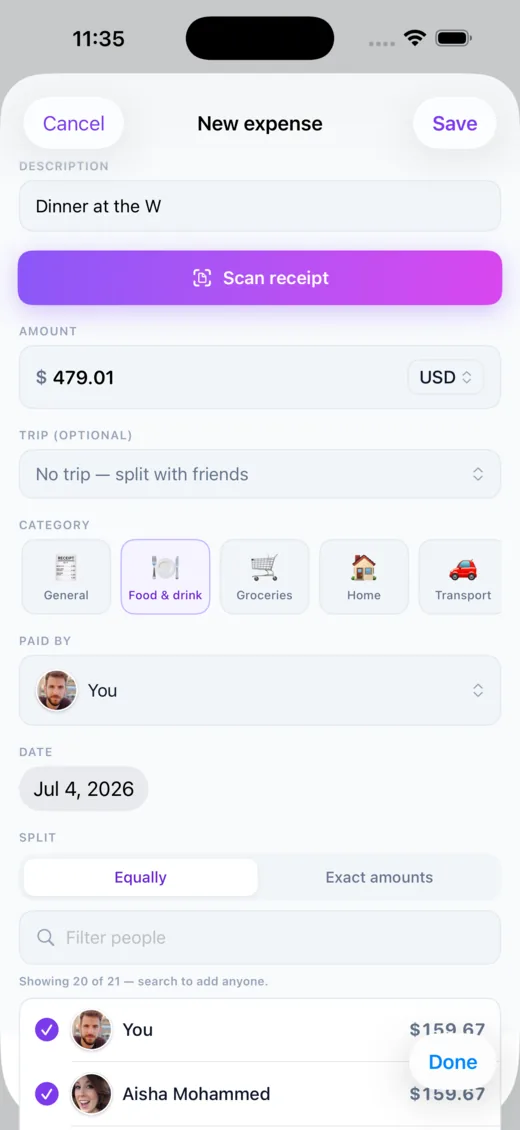
Tap the + button, enter the amount and a short description, then choose who it’s split with. An equal split is the default — or switch to exact amounts when shares differ. Everyone in the split sees the same updated balance right away.
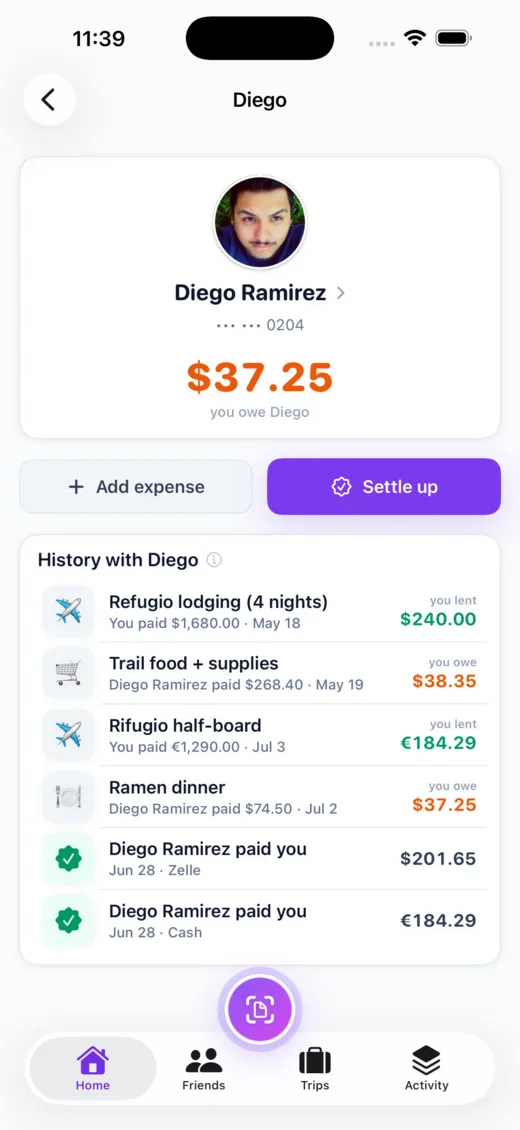
Open a friend or trip, tap Settle up, and record the payment you made (or received) in real life — cash, Venmo, bank transfer, whatever you already use. The balance resets to zero. Call It Even keeps the score; it never moves the money itself.
You can add them as a placeholder and split with them right away. Invite them with a link or QR code — the moment they sign up, their balances are already waiting.
Anyone an expense is split with can edit its details — description, category, notes, and date. Only the person who added it can change the amount, who paid, or who’s involved, or delete it entirely. That keeps the money side honest for everyone in the split.
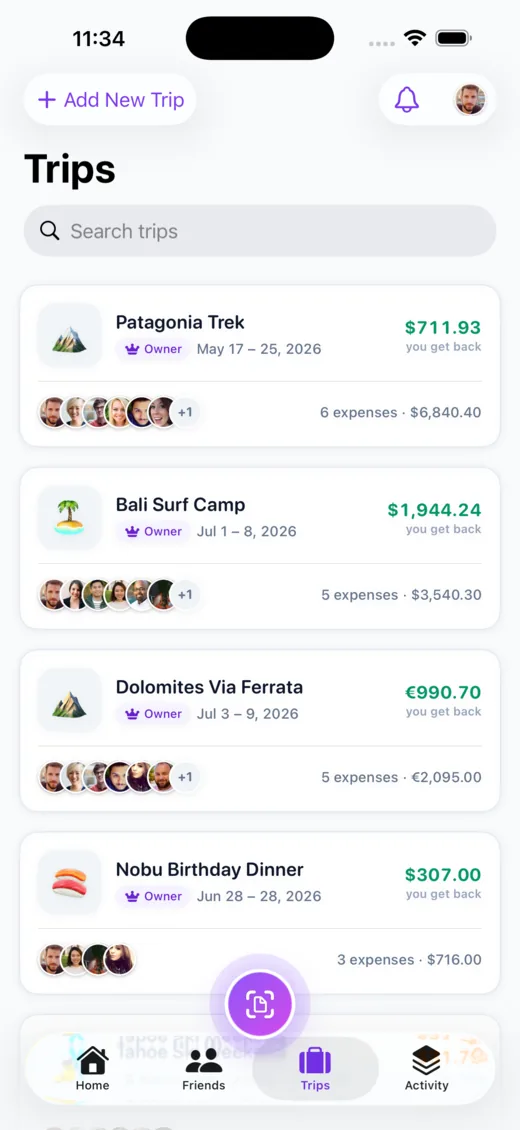
A trip groups shared costs for a crew in one place, with its own running balances. Add everyone once, log expenses as they happen, and settle the whole thing at the end. You can even add “guests” who are billed to whoever brought them.
No. We’re a ledger, not a bank or a payment app. We track who owes who and let you record payments when you square up outside the app. We never hold or transfer your funds, and we never ask for bank or card details.
Yes. Each expense is tracked in its own currency, so a trip abroad and your everyday splits both stay accurate side by side.
Codes arrive by text within a few seconds. If one doesn’t come through: double-check the phone number (including country code), wait a moment, and tap resend. Still stuck? Email [email protected] and we’ll get you in.
Your data is yours. You can request an export or delete your account at any time — email [email protected] and we’ll take care of it. See our Privacy Policy for the full details.
Yes — downloading and using Call It Even is free. No subscription, no per-expense fees, and no paywall on the core features.
A quick tour
A few of the screens you’ll use most:
Still stuck?
Email [email protected] — a real person will help you out.