
Snap the receipt.
It splits itself.
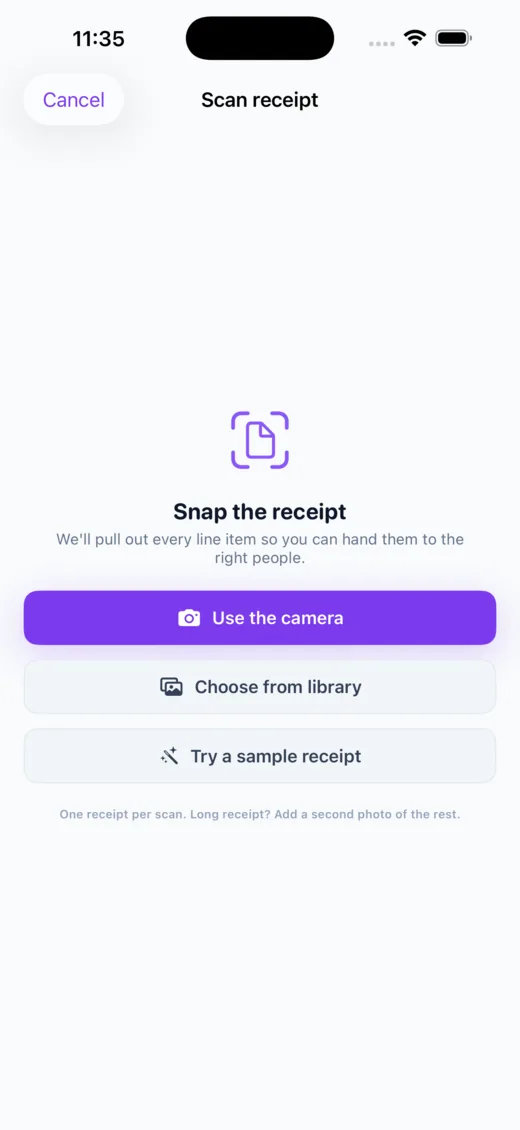
Point your camera at the receipt and Call It Even reads every line. Drag each dish to whoever had it — a shared plate splits just between them — and the tax and tip follow, in proportion to what each person actually ordered. Never divided blindly.


How it works
From photo to fair split in seconds
The scanner captures the receipt, AI reads it, and you just drag.
Scan it
Snap the receipt — up to two pages of one long bill — and every line item is pulled out for you. No typing.
Drag to assign
Flick each dish to whoever had it. A shared plate? Tap it to split just that item between the people who shared.
Tax & tip, sorted
Both split by what each person actually ordered — down to the cent, using exact largest-remainder math.
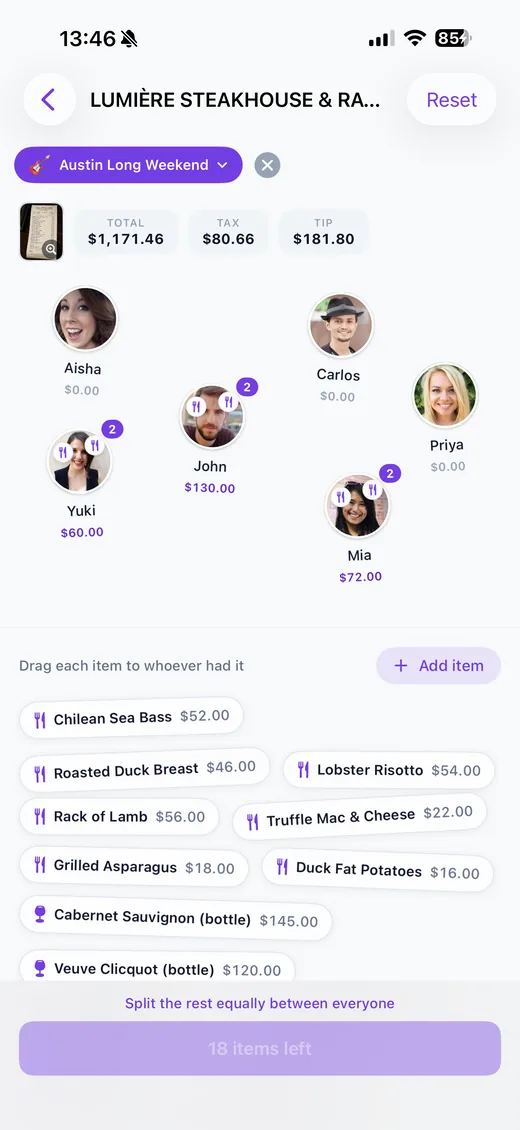
The assign canvas
Drag a dish to a person. That’s the whole trick.
Everyone’s a circle, every line item is a chip. Drag a chip onto a person to assign it, or tap it to share one plate between several people. One button splits whatever’s left equally — and you can’t finish with anything unassigned, so nothing slips through.
- ✓Shared plates — split a single item between just the people who had it
- ✓Split the rest — one tap divides everything left equally
- ✓Nothing missed — you can’t save with an unassigned item
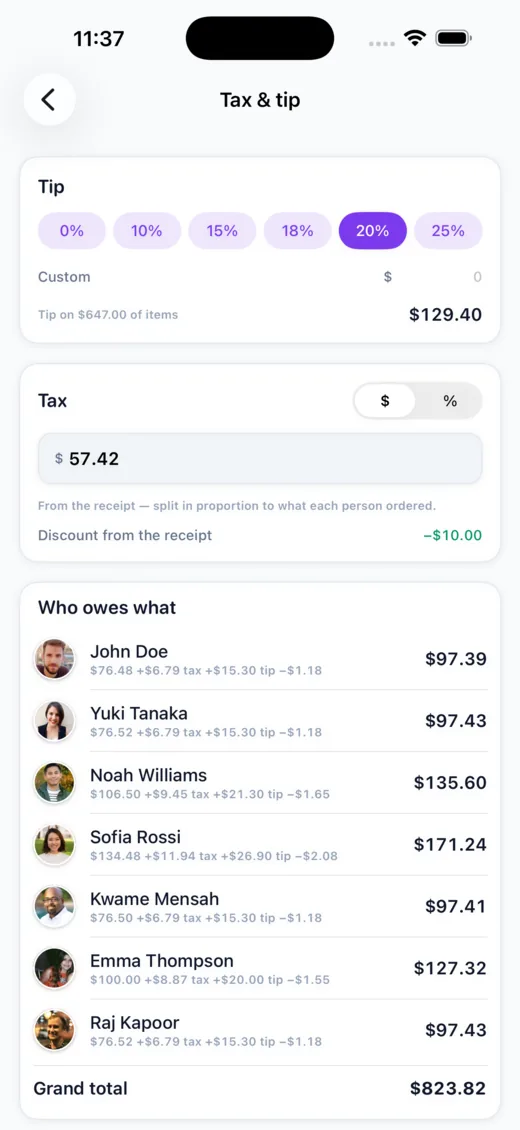
Tax, tip & discounts
Fair to the cent — not divided blindly
Tax, tip, and discounts all split in proportion to what each person ordered, so the person who had the salad isn’t subsidising the steak. Tip presets or a custom amount, tax as a value or a percentage, and the scan even pre-fills a printed service charge so nobody tips twice.
- ✓Proportional — tax & tip follow each person’s share of the items
- ✓Reads service charges — printed gratuity is detected so you don’t double-tip
- ✓Handles multiple taxes — combined tax lines are summed into one
- ✓Mismatch guard — flags a misread if the items and total don’t line up
Good to know
Frequently asked
Explore more of Call It Even
On Android? It’s here.
Call It Even is live on Google Play — receipt scanning, recurring bills, groups, and multi-currency, free forever. Same account as iPhone and the web.
See the Android story →
Ready to call it even?
Free to download, free to use. Split fair, settle up, and stay friends.