
Rent & bills,
on autopilot.
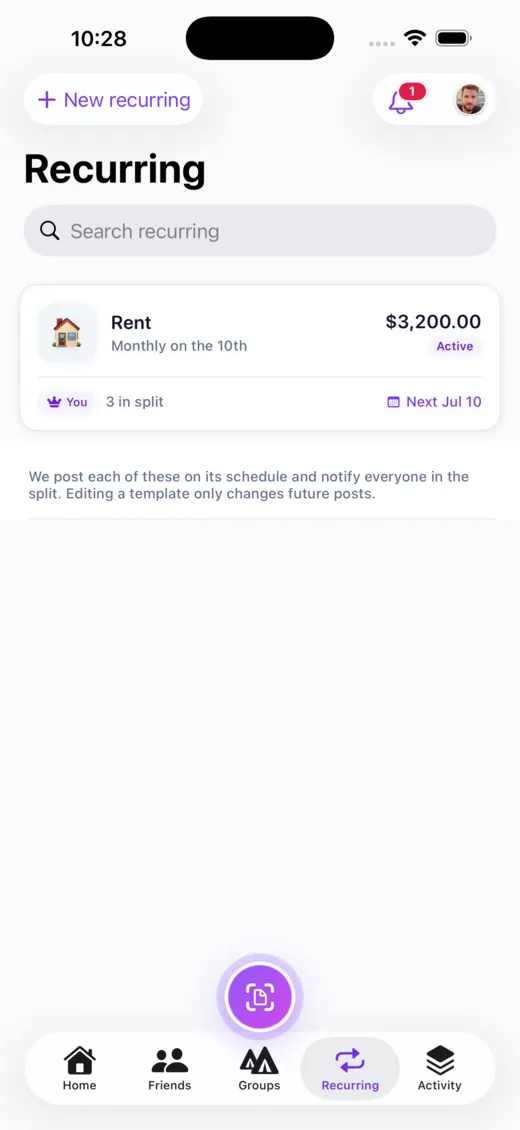
Set up rent, subscriptions, and shared bills once. Call It Even posts each one on schedule and notifies everyone in the split — so the household stays square without anyone doing the monthly math.


How it works
Set it once. It handles the rest.
Call It Even’s scheduler posts each recurring expense for you and keeps everyone in the loop.
Create it once
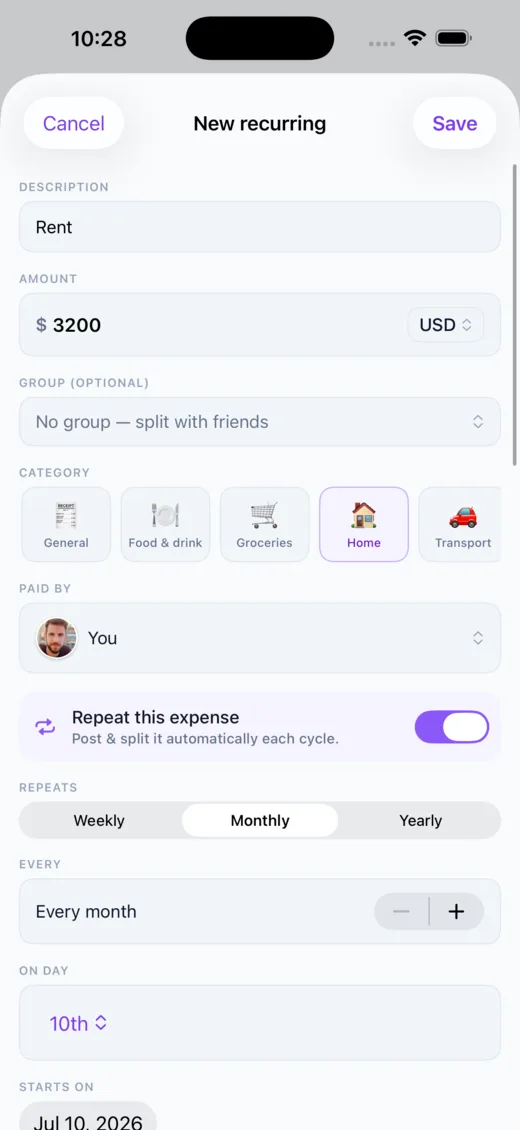
Amount, who’s in the split, and a schedule — weekly, biweekly, monthly, or yearly.
It posts on schedule
Each cycle Call It Even adds the expense automatically, exactly like a manual one.
Everyone’s notified
The whole split gets a heads-up the moment a new post lands.
Always in control
Pause, skip, or set a one-off amount
The owner runs the schedule. Edits only ever affect future posts — nothing already posted is touched. Pause it for a month, skip a single cycle, or set a one-off amount for a bill that changes (that power company again), and it reverts to normal next time.
- ✓Future-only edits — changing a template never rewrites past expenses
- ✓One-off amount — override just the next post for a variable bill
- ✓Pause & resume — stop posting for a while without losing the schedule
- ✓Skip a cycle — jump the next one when a month is covered
Nothing lost
Stop anytime — history stays intact
Stopping a recurring expense archives it instead of deleting anything: the template and every expense it ever posted stay on the books, moved to an Archived list. Balances and settlements work exactly as they always have — a recurring post is just a normal expense that happened to add itself.
- ✓Archive, never delete — past posts and the template are always kept
- ✓Fixed currency — each schedule is one currency — no mixed history
- ✓A repeat badge — auto-posted expenses are marked and link back to the schedule

Good to know
Frequently asked
Explore more of Call It Even
On Android? It’s here.
Call It Even is live on Google Play — receipt scanning, recurring bills, groups, and multi-currency, free forever. Same account as iPhone and the web.
See the Android story →
Ready to call it even?
Free to download, free to use. Split fair, settle up, and stay friends.