

The best free app to split expenses with friends is one that stays genuinely free — no subscription, no per-transaction fee, no bank connection — while still handling the messy parts of shared money: receipts, uneven splits, multiple currencies, and settling up. Call It Even is that app. It is free forever, never touches your money (it is a ledger, not a payment processor), and covers the features that actually matter — AI receipt scanning, equal and exact-amount splits, groups, multi-currency, and one-tap settle up. This guide explains what “free” really means for a bill-splitting app and which features are worth caring about, so you choose well whether you land on Call It Even or something else.
What makes a bill-splitting app truly free?
A bill-splitting app is truly free when the core job — recording who paid, who owes what, and settling the balance — costs nothing and is not locked behind a paywall or a per-use fee. Many “free” apps are free to download but charge the moment you do something useful, so the label alone tells you very little.
When you compare options, look past the price tag on the store listing and check for these hidden costs:
- Feature paywalls. Some apps put receipt scanning, currency conversion, or even adding more than one expense a day behind a monthly subscription.
- Per-transaction fees. Apps that move money for you often skim a percentage or a flat fee on every settlement.
- Ads and upsells. Free tiers are sometimes funded by interstitial ads or constant prompts to upgrade.
- Mandatory bank or card linking. Requiring your account details is a privacy cost even when there is no dollar cost.
Call It Even avoids all four. It is free forever with no subscription tier to unlock, it never holds or moves money so there is nothing to skim, and it asks for no bank details or card because it works purely as a shared ledger.
Does a free splitting app need my bank details?
No — a good bill-splitting app does not need your bank details, because its job is to track balances, not to move money. This is the single most misunderstood thing about the category, and it is worth getting right before you install anything.
There are two kinds of apps people lump together. One is a mobile payment service that transfers funds between accounts — those need your bank or card and often charge fees. The other is a ledger: it records that Sam paid $80 for groceries and three friends each owe $20, then keeps a running total until everyone squares up. Call It Even is firmly the second kind, which is exactly why it can ask for nothing more than a name.
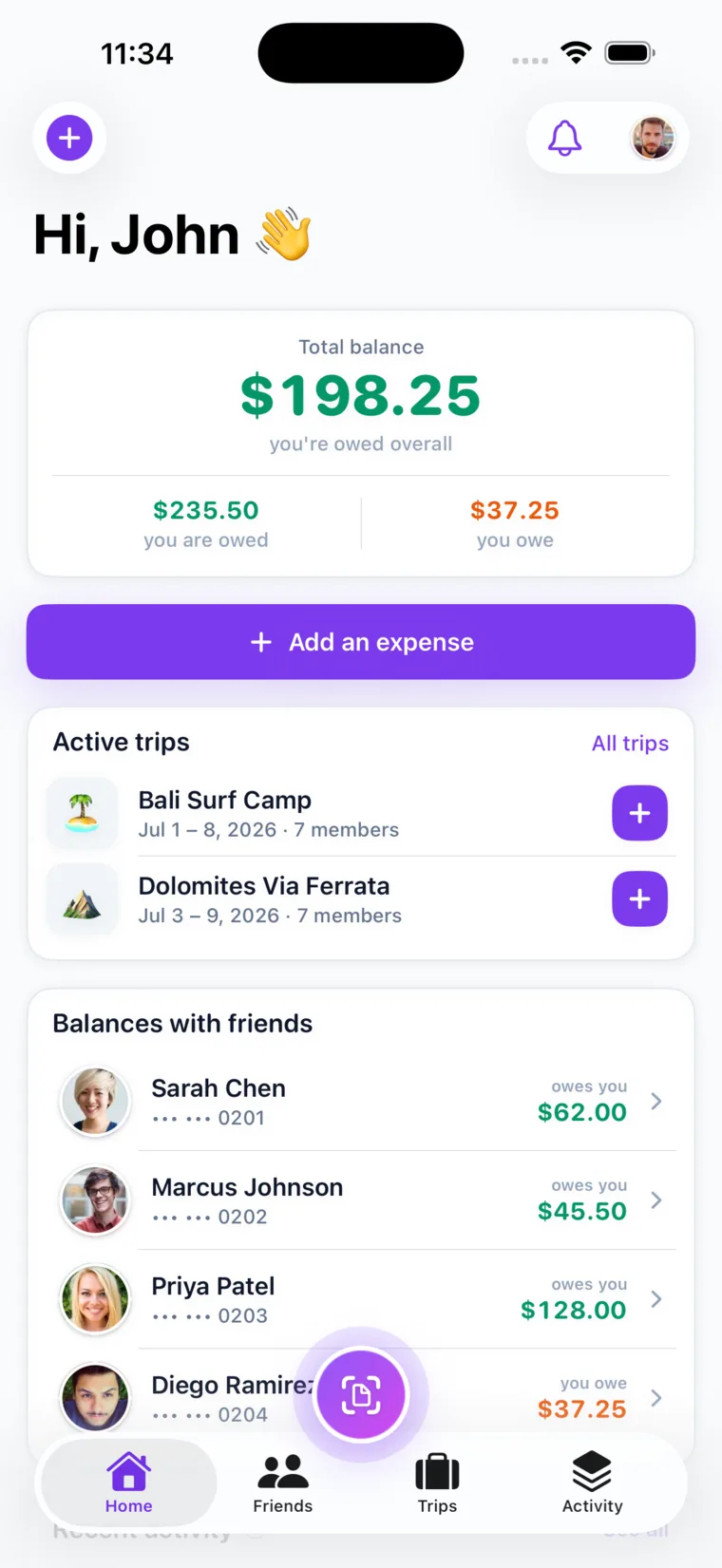
That distinction has a practical payoff: you settle up in whatever way you already trust — cash, a bank transfer, or a payment app — and the ledger just records that the debt is cleared. You get the accounting without handing your financial life to a third party.
Which features actually matter in a free bill-splitting app?
The features that actually matter are the ones that remove friction from real situations: receipt scanning, flexible split modes, multi-currency support, splitting with people who are not on the app, and a clean way to settle up. Everything else is decoration.
Here is what each one does and why it earns its place:
- AI receipt scanning. Photograph a receipt and the app extracts each line item, so you assign dishes to people and split tax and tip proportionally instead of retyping prices.
- Multiple split modes. Equal and exact amounts each fit a different situation — a clean shared dinner, or a group gift where everyone chips in what they can.
- Multi-currency. On a trip abroad you want a separate balance per currency, not a made-up exchange rate that quietly loses money.
- Guest splitting. Add a friend who has not installed anything via a shareable link or QR code, so one holdout does not break the group.
- Settle up. Recording a payback and watching the balance reset to zero is the whole point.
Call It Even includes every one of these for free. The table below shows how the pieces map to everyday moments.
| Feature | When it saves you |
|---|---|
| Receipt scanning | A long restaurant check with different orders per person |
| Split modes (equal, exact amounts) | Rent, a group gift, or a lopsided bar tab |
| Multi-currency | A trip crossing two or three countries |
| Guest split via link or QR | A friend who refuses to install one more app |
| Settle up | Clearing the whole group in one clean move |
Pro Tip: Do not chase feature count. Pick the app that nails the two or three things your group actually does — usually splitting a dinner, tracking a trip, and settling up — and treat everything else as a bonus.
How does receipt scanning help you split fairly?
Receipt scanning helps you split fairly by pulling each line item off the receipt automatically, so you can charge each person for what they actually ordered instead of averaging the whole bill. It turns the fairest split method — by item — into the fastest one.
Without scanning, an itemized split means squinting at a paper receipt and doing arithmetic while everyone waits. With it, you photograph the check, the app reads every line, you tap each item to whoever ordered it, and tax and tip divide in proportion to each person’s subtotal. A shared appetizer gets split only among the people who ate it. The result reconciles to the cent in under a minute — which matters most for the meals where an even split is unfair, like one person drinking cocktails while another has water.
Can you split with friends who don’t have the app?
Yes — with Call It Even you can add friends who are not on the app as guests using a shareable link or QR code, and they need no account of their own. This solves the most common reason group tracking falls apart: one person who will not download anything.
You add the person as a guest, they appear in the split like anyone else, and you can send them a read-only link to the trip or expense so they see the balance without signing up. When they are ready, they can claim their guest profile and keep their history. The group never stalls waiting on a holdout, and nobody is forced to install software to owe twenty dollars.
The best free app is the one your whole group will actually use — and that means it has to work even for the friend who never installs anything.
How do free splitting apps compare?
Free splitting apps mostly differ in what they gate behind a paywall and whether they force a bank connection. The genuinely free ones give you the core ledger, multiple split modes, and settle up without a subscription; the rest lock the useful features or monetize your payments. Run any option — including a free Splitwise alternative you are weighing against Call It Even — through this checklist:
- Is the core ledger free with no cap? You should be able to add unlimited expenses without hitting a daily limit or an upgrade wall.
- Is receipt scanning included? Some apps reserve it for paid tiers; confirm before you rely on it.
- Does it require bank or card details? If it does, it is a payment app wearing a splitter’s clothes.
- Does it handle multiple currencies honestly? Separate per-currency balances beat an invented exchange rate.
- Can non-users be included? Guest splitting keeps the whole group in one place.
- Is settling up one step? Recording a payback should reset the balance instantly.
Call It Even is built to pass every line of that checklist for free. It also adds recurring expenses — rent, subscriptions, and bills that auto-post on a schedule and notify everyone — plus group trips and an activity timeline, none of it behind a fee.
Call It Even makes splitting with friends genuinely free
Call It Even is a free-forever, Splitwise-style app that covers the whole job without asking for a cent or a bank number. Scan a receipt to split by item, choose an equal or exact-amount split, track a group in multiple currencies, add friends who are not on the app as guests, and settle up in one tap when the balance is due.
Because it is a ledger and never a wallet, there are no fees to skim and no account details to hand over — you keep paying each other however you already do, and the app just keeps the running total honest. It is available on iPhone, Android, and the web. Get Call It Even and stop being the friend who fronts every bill and chases everyone later.
Key takeaways
A free bill-splitting app should track shared money end to end without charging you or touching your bank.
| Point | Details |
|---|---|
| “Free” must include the core | The ledger, split modes, and settle up should cost nothing, with no daily caps or paywalls. |
| No bank details needed | A splitter tracks balances; it should never require your account to work. |
| Receipt scanning earns its keep | It makes the fairest split — by item — the fastest one, tax and tip included. |
| Match the split to the moment | Equal for a clean divide, exact amounts when the shares genuinely differ. |
| Include everyone, then settle once | Guest links keep holdouts in the group; settle up clears the whole balance in one step. |
FAQ
What is the best free app to split expenses with friends?
Call It Even is a strong pick because it is free forever with no subscription or fees, requires no bank details, and includes receipt scanning, multiple split modes, multi-currency, guest splitting, and one-tap settle up. The best app for you is whichever keeps the core ledger free and covers the two or three things your group does most.
Are free bill-splitting apps actually free?
Some are and some are not. Many are free to download but paywall receipt scanning, currency support, or unlimited expenses, or they charge a fee to move money. Call It Even is free forever with no paywalls and never moves money, so there is no fee to skim.
Is there a free Splitwise alternative?
Yes. Call It Even is a free, Splitwise-style alternative that keeps the core features — tracking who owes what, multiple split modes, group trips, and settling up — free rather than behind a subscription, and it adds AI receipt scanning and multi-currency at no cost.
Do I need a bank account to split bills in an app?
No. A ledger-style app like Call It Even only tracks balances, so it needs no bank or card details. You settle up however you already pay each other — cash, transfer, or a payment app — and simply record that the debt is cleared.
Can I split a bill with someone who doesn’t have the app?
Yes. Call It Even lets you add friends as guests through a shareable link or QR code with no account required, and you can send them a read-only view of the trip or expense so they can follow the balance without signing up.
Recommended
- Splitting Bills – Call It Even
- Settling Up – Call It Even
- Group Expenses – Call It Even
- The Best Expense Splitting App for iPhone – Call It Even
- How to Split an Itemized Receipt – Call It Even
- The Best Splitwise Alternatives in 2026 – Call It Even
- Call It Even vs Splitwise: An Honest Comparison – Call It Even
- Spreadsheet vs App for Shared Expenses – Call It Even