

A spreadsheet is the right tool for shared expenses when one person does the tracking and the group is small and stable; an app is the right tool when several people need to add costs from their phones and everyone needs to see the same balance without asking. The honest difference is not accuracy — a well-built sheet is perfectly accurate — it is who has to maintain it, and whether the other people can see it. Call It Even exists for the second case, and it is free.
What is a spreadsheet actually good at?
Arbitrary rules. A spreadsheet will do anything you can express in a formula, which no app will ever match — weighted shares by square footage, a sliding scale by income, a column that only applies on weekends. If your arrangement is genuinely unusual, a sheet is not a compromise, it is the correct answer.
- Any rule you can write down, however idiosyncratic.
- Total transparency — every calculation is visible and auditable.
- Free and universal. Everyone already has access to one.
- Permanent and portable. It is a file; it will open in ten years.
- Excellent for the annual view — charts, categories, year-over-year comparisons.
Where do spreadsheets break down?
At the moment a second person needs to use one. Almost every shared-expense spreadsheet in the world has exactly one author, and that person becomes the household’s unpaid accountant — which works right up until they get busy, and then the record simply stops.
| Problem | What it looks like in practice |
|---|---|
| One maintainer | Nothing is logged the week they’re away |
| Phone entry is painful | Receipts pile up to be entered “later”, and later never arrives |
| Nobody else looks at it | People still ask what they owe, which was the whole point |
| Formulas break silently | An inserted row shifts a range and the totals are quietly wrong |
| No notifications | Adding an expense doesn’t tell anyone it happened |
| Rounding drift | Three-way splits leave cents that never quite reconcile |
What does an app do that a sheet can’t?
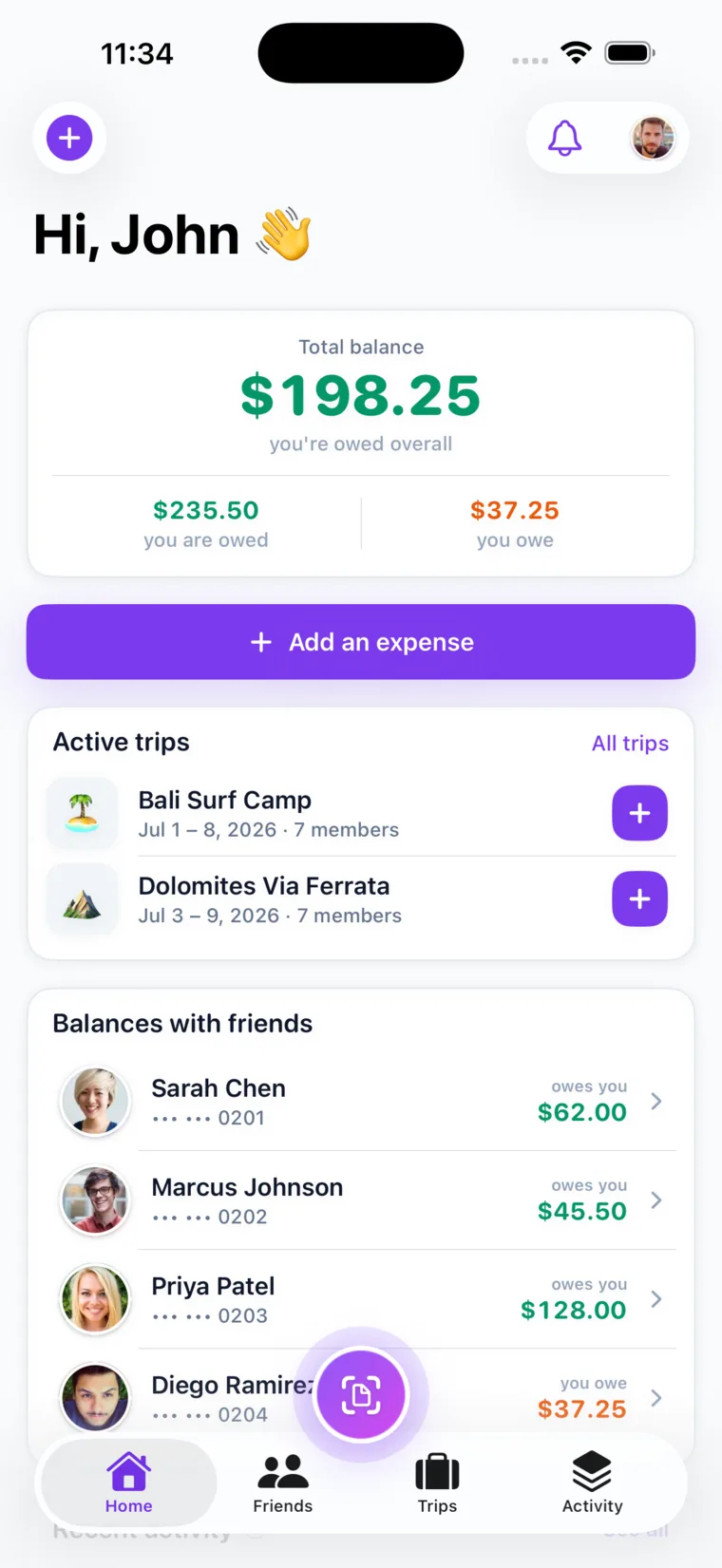
Three things, all of them social rather than mathematical: it lets everyone add, it shows everyone the same number, and it tells people when something changes. That is the entire difference, and it is the difference that decides whether a system survives past month two.
- Everyone logs their own spending from their own phone, in ten seconds, at the till.
- Everyone sees the same balance, so the question “what do I owe?” stops being asked.
- Notifications mean an expense is announced by the system rather than by a person.
- Receipt scanning turns an itemised bill into per-person amounts without typing anything.
- The money is right by construction — splits are checked against the total before they save, so the cents always reconcile.
Pro Tip: If your spreadsheet has survived a year, keep it — you are the rare group where it works. If you have started one three times, the tool was never the problem; the maintenance burden was.
Which should you choose?
Match the tool to who is doing the work, not to how organised you feel.
| Your situation | Better choice |
|---|---|
| One person happily tracks everything | Spreadsheet |
| A rule no app supports | Spreadsheet |
| Several people spend on behalf of the group | App |
| Costs happen away from a computer | App |
| People keep asking what they owe | App |
| A one-week trip with six people | App |
| Annual budgeting and analysis | Spreadsheet — or both |
Can you use both?
Yes, and plenty of households do it well: the app records what happened, and the spreadsheet analyses it afterwards. The app is the ledger of record because it is where the group actually is; the sheet is the reporting layer, built monthly from real numbers rather than from memory.
The failure mode to avoid is two live systems. One of them must be the source of truth, or you will spend more time reconciling them than you ever spent splitting anything.
How do you move from a spreadsheet to an app?
Settle the sheet’s closing balance first, then start clean — do not try to import a year of history, because the value is in what happens next, not in what already happened.
- Close the sheet with a final settlement so everyone starts at zero.
- Keep the file for reference; nothing is lost.
- Add everyone, including people who don’t want the app — you can add them by name and still track what they owe.
- Set the repeating bills to recur on the day they actually charge, which is the part a sheet could never do for you.
- Give it one month before judging. The benefit shows up the first time nobody has to ask.
Call It Even is free, works on iPhone, Android and the web, and takes about ten seconds per expense. Get Call It Even free.
Key takeaways
| Question | Answer |
|---|---|
| The real difference | Not accuracy — who maintains it and who can see it. |
| Spreadsheet wins | Unusual rules, one willing maintainer, annual analysis. |
| App wins | Several people spending, phones, groups who ask what they owe. |
| Using both | Fine — app records, sheet analyses. Never two live systems. |
| Switching | Settle the old balance, start clean, don’t import history. |
FAQ
Is a spreadsheet good enough for splitting expenses?
Yes, if one person is genuinely happy to maintain it and the others don’t need to see it often. It fails not on arithmetic but on maintenance — nearly every shared sheet has one author, and the record stops the week that person is busy.
What’s better for roommates, a spreadsheet or an app?
An app, in most shared households, because several people buy things for the house and each needs to log from a phone. A spreadsheet is the better answer when your split follows a rule no app supports, such as weighting by room size.
Can you use a spreadsheet and an app together?
Yes. Let the app be the ledger of record because that is where the group already is, and build the spreadsheet monthly for analysis. Just never run two live systems, or reconciling them costs more than splitting ever did.
How do you move from a spreadsheet to an app?
Settle the sheet’s closing balance so everyone starts at zero, keep the file for reference, and don’t import history. Add everyone, set the recurring bills to post on their real charge dates, and judge it after a month.
Do expense-splitting apps cost money?
Call It Even is free to use — splitting, groups, balances and settling up all cost nothing. Receipt scanning is the one metered feature, with free scans for verifying your email and phone.
Recommended
- Best Free App to Split Expenses with Friends – Call It Even
- Best Splitwise Alternatives – Call It Even
- What Is Mutual Cost Tracking? – Call It Even
- Split Expenses – Call It Even