

The way to split recurring bills and subscriptions automatically is to set the split up once, tell the app how often it repeats, and let it post the charge and notify everyone on schedule for you. That means you enter rent, Netflix, the internet bill, or the shared electricity once, and every month it lands in the ledger on its own — no reminder texts, no re-typing amounts, no chasing anyone. Call It Even does exactly this with its recurring expenses feature: set it and forget it, while a running balance keeps track of who owes what across every month.
How do you split recurring bills automatically?
You split recurring bills automatically by creating the expense one time, marking it as repeating, and choosing a schedule — weekly, monthly, or whatever cadence the bill follows. From then on the app posts the charge to the group on each due date and notifies everyone automatically, so the split happens without anyone lifting a finger.
The manual version is a monthly chore nobody wants: someone remembers rent is due, calculates each share, sends the reminder, and hopes the others pay. Miss a month and the balances drift. Automating it removes every step — the recurring split becomes a rule the app follows on its own, and you only touch it again when the amount changes or the arrangement ends.
Which bills are worth putting on a recurring split?
The bills worth automating are the ones that repeat on a predictable schedule and are shared by the same people each time — rent, utilities, and subscriptions are the obvious wins. If you find yourself entering the same expense every month with roughly the same split, it belongs on a recurring rule.
- Rent and mortgage. The biggest, most predictable shared cost of all. Set it once at the start of a lease and it posts every month until you turn it off.
- Utilities. Electricity, gas, water, and internet arrive monthly and rarely change hands. Even when the amount varies a little, a fixed estimate keeps the ledger current and you adjust when the real bill lands.
- Streaming and software subscriptions. Netflix, Spotify, a shared cloud plan, a gym membership — small individually, but they add up and they are easy to forget.
- Household services. Cleaning, a shared meal kit, trash pickup, or any recurring service the household splits.
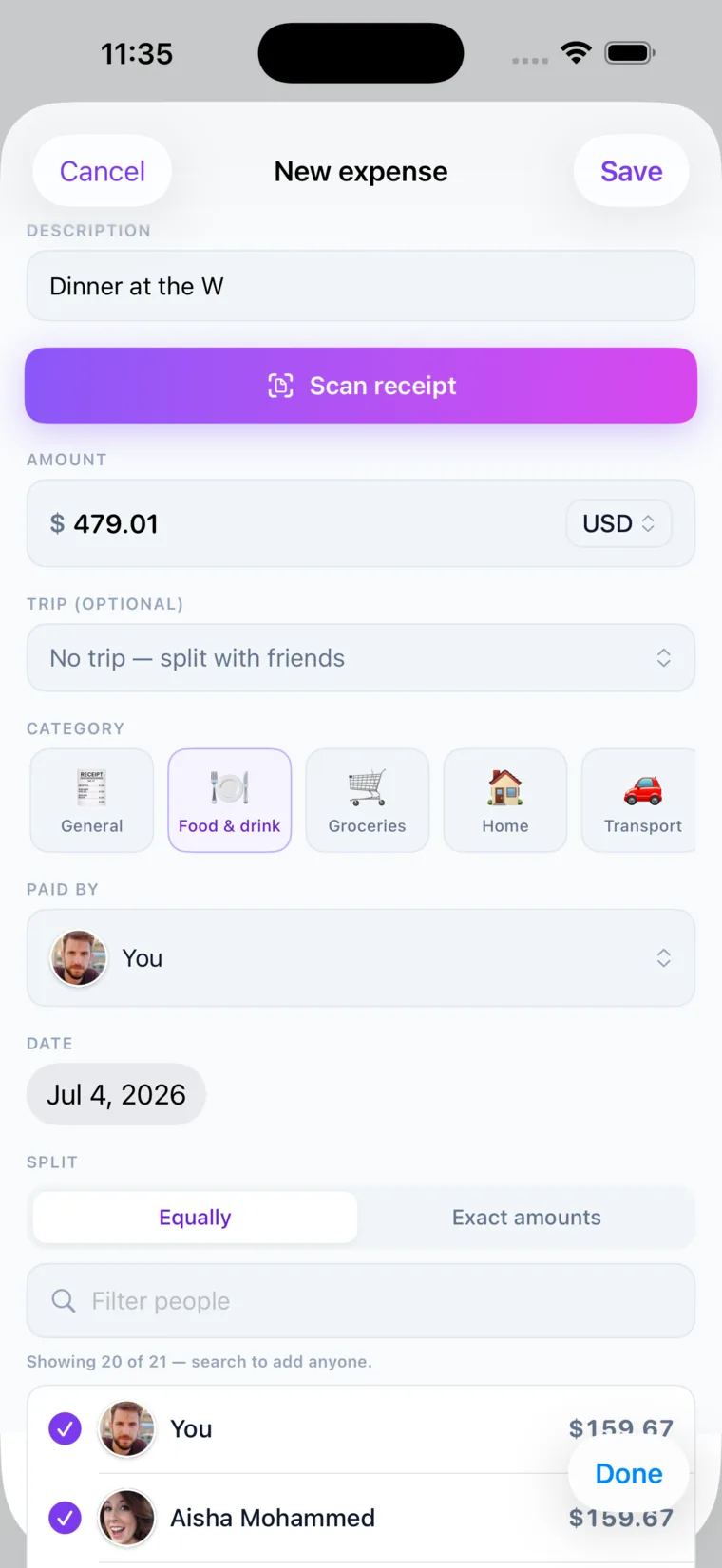
The test is simple: if the same charge shows up on a calendar and the same people share it, automating the split saves you real time and prevents the slow drift that happens when someone forgets a month.
How do you split rent automatically each month?
You split rent automatically by adding it as a recurring expense, choosing how it divides between roommates, and setting it to repeat monthly on your rent due date. The app then posts each person’s share every month and notifies the group, so the reminder and the math both happen without you.
Rent is rarely a clean even split, and that is where flexible split modes matter. Call It Even gives you two ways to divide any expense, recurring ones included:
| Split mode | Best for rent when… |
|---|---|
| Equal | Roommates share identical rooms and split down the middle. |
| Exact amounts | Anyone’s rent differs — a figure fixed in the lease, the master bedroom paying more than the box room, or a couple covering two people’s worth. Work the numbers out once and they repeat every month. |
Once the mode is set, it carries forward every month. If your rent is $2,400 split 60/40, the app posts $1,440 and $960 to the right people automatically on the first of every month, and everyone is notified the moment it lands.
Pro Tip: Set your recurring rent to post a few days before it is actually due to the landlord. That gives roommates a built-in heads-up window to send their share, so the person who pays the landlord is never fronting the whole amount and waiting.
How do you split subscriptions with roommates?
You split subscriptions with roommates by adding each subscription as its own recurring expense with the people who use it, so the monthly charge divides itself and everyone stays current without a monthly reminder. Subscriptions are small enough that people forget them, which is exactly why automating them matters.
The subscription business model is built to be invisible — the charge leaves one person’s card quietly every month, and the others rarely think about repaying their share. Left to memory, that one roommate slowly becomes the household’s unpaid financier. A recurring split fixes it by making the shared cost visible and posting each person’s portion automatically.
A clean way to handle a stack of shared subscriptions:
- One rule per service. Keep Netflix, Spotify, and the cloud storage plan as separate recurring expenses so you can add or drop a person from any one of them without touching the others.
- Split only among users. If two of four roommates use the music plan, only those two are on that split.
- Match the billing date. Set each recurring expense to repeat on the day the real charge hits the payer’s card.
- Let the notifications do the nudging. Everyone is told automatically when the split posts, so no one has to send the awkward “hey, Spotify” message.
What happens when a recurring amount changes?
When a recurring amount changes, you edit the recurring expense once and the new amount applies to future postings, while the charges already posted stay exactly as they were. Utilities that swing with the season are the classic case, and this is how you keep the ledger honest without rewriting history.
Say your electricity bill jumps in the summer. You update the recurring amount, and next month’s post reflects the new figure — but the lower spring charges that already landed are untouched, because they were real transactions people already owe on. If an arrangement ends entirely — a roommate moves out, a subscription is cancelled — you stop the recurring rule, and the past posts remain on the ledger so any outstanding balance is still settled correctly.
The point of automation is not to lock you in. It is to handle the 90 percent of months that are identical, so the only time you think about the bill is the rare month something actually changes.
How do you keep a clean running balance across months?
You keep a clean running balance by letting every recurring post accumulate into one ledger and settling up periodically, instead of paying back every single bill the day it posts. The app tracks who owes whom across rent, utilities, and subscriptions combined, so a household of roommates can square up in one move rather than a dozen.
This is where automating splits pays off twice: each bill posts itself, and all those posts roll into a single balance per person. Instead of five payment requests a month, the amounts add up and you settle the net figure whenever it suits you.
- Recurring expenses post automatically. Rent, utilities, and subscriptions each land on their schedule and notify the group.
- The ledger nets everything together. Every post updates one running balance per person, across all the shared bills.
- Settle up when convenient. Record the payback in the app and the balance resets to zero, ready for the next cycle.
Because Call It Even is a ledger and never moves money, roommates repay however they already do — cash, a bank transfer, or a payment app — and the app simply records that it happened. You can settle up monthly, or let a couple of months ride and clear it in one transfer.
Call It Even makes recurring splits effortless
Call It Even is built for the bills that never stop coming. Add rent, the internet, and every shared subscription once, mark them recurring, and the app posts each split and notifies everyone on schedule — every month, without you touching a thing.
There are no fees and no bank details required; Call It Even keeps the ledger while you and your roommates settle up however you like. It also handles shared households, multiple currencies, guests who join by link or QR, and an activity timeline of every post. Get Call It Even and turn your monthly bill scramble into a one-time setup.
Key takeaways
Automating recurring splits turns a monthly chore into a rule the app follows for you, and keeps a clean balance across every bill.
| Point | Details |
|---|---|
| Set it once | Enter the expense, mark it recurring, and choose the schedule — the app posts and notifies automatically after that. |
| Automate predictable bills | Rent, utilities, and subscriptions that repeat with the same split are the best candidates. |
| Split it the way it actually falls | Equal or exact amounts — the split carries forward every month. |
| Edits apply going forward | Change an amount and future posts update, while past charges stay on the ledger. |
| Settle from one balance | All recurring posts net into a running balance, so you square up in a single move. |
FAQ
How do you split recurring bills with roommates?
Add each bill as a recurring expense once, choose how it splits between roommates, and set it to repeat on the due date. The app posts every person’s share automatically each cycle and notifies the group, so no one has to send a monthly reminder or redo the math.
Can you split rent automatically every month?
Yes. Set rent up as a recurring expense with the split you want — equal, or exact amounts when you each pay a different share — and mark it to repeat monthly. From then on it posts each roommate’s share on schedule and everyone gets notified, with no manual entry required.
What happens when a subscription price goes up?
Edit the recurring expense once and the new price applies to future postings, while the charges already posted stay unchanged. If you cancel the subscription entirely, you stop the recurring rule and any past posts remain on the ledger so outstanding balances still settle correctly.
Does Call It Even charge for recurring splits?
No. Call It Even is free forever with no fees, and recurring expenses are included. It never asks for bank details and never moves money — it only keeps the ledger, so you and your roommates repay each other however you already do.
Do I have to pay back every bill the day it posts?
No. Every recurring post rolls into one running balance per person, so instead of repaying each bill separately you can let the amounts accumulate and settle up in a single transfer whenever it is convenient, which resets the balance to zero.
Recommended
- Recurring Bills – Call It Even
- Roommates – Call It Even
- Splitting Bills – Call It Even
- How to Split Utilities with Roommates – Call It Even
- How to Split a Shared Family Plan (Netflix, Spotify, Phone) – Call It Even
- How to Split Pet Costs with Roommates or a Partner – Call It Even
- How to split rent with roommates (without the monthly argument) – Call It Even
- How to Split a Nanny Share – Call It Even