

The best expense splitting app for iPhone is the one that is free without conditions, never asks for your bank details, and lets you log a shared cost in the ten seconds you actually have at a table. Call It Even is built to that brief: a native iPhone app that tracks who owes whom, scans receipts into itemized splits, and settles up however you already pay each other — free forever, no fees, no ads.
What should an iPhone expense splitting app actually do?
It should make logging a cost faster than arguing about it, and it should never become another thing to reconcile. Most people abandon these apps for one of three reasons: it asked for a bank connection, it started charging for something that used to be free, or logging an expense took longer than just remembering it.
- Fast entry. If adding a $42 dinner takes more than a few taps, nobody keeps it up past week one.
- A running balance you can trust. Not a list of transactions — an answer to “what do we owe each other right now?”
- No money movement. A ledger records; it should not hold your cash or ask for a routing number.
- Free that stays free. Check whether the thing you rely on is behind a plan that can change.
- Everyone can see it. A tracker only one person can read is a notebook.
How quickly can you split a bill on iPhone?
About four taps: amount, who paid, who’s on it, save. That is the whole interaction for the common case, and it matters more than any feature list, because the moment you are actually splitting something is a moment when everyone is standing up and putting their coats on.
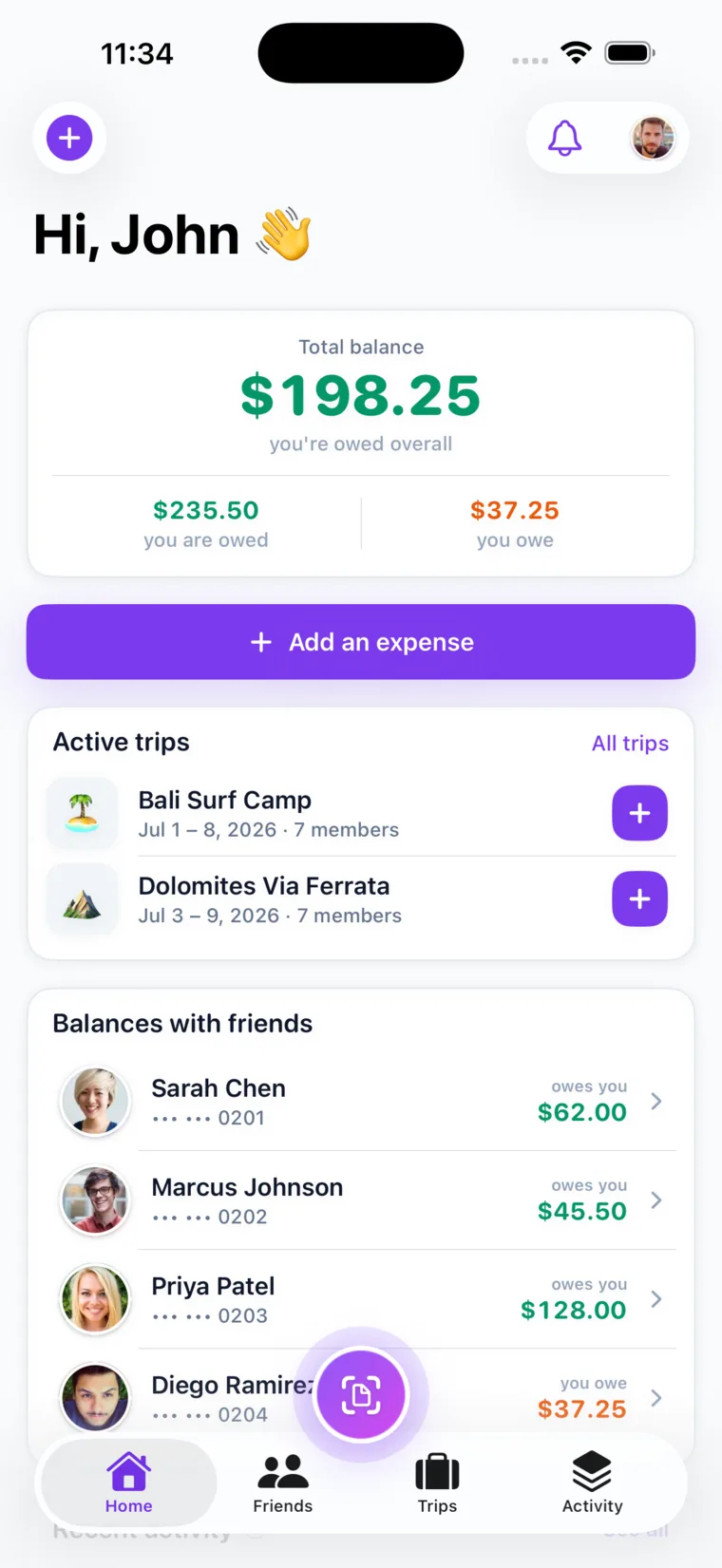
For anything more complicated than an even split, you enter each person’s figure directly. Call It Even splits equally or by exact amounts — so a 60/40 arrangement, a room that costs more, or a friend who only had a starter is handled by working out the number and typing it in. The app checks the parts add up to the total before it saves, so a typo can never quietly land on one person.
What makes the iPhone version worth having?
It is a native SwiftUI app, not a website in a shell, and it uses the parts of iOS that make this kind of tracking painless.
| Feature | What it does on iPhone |
|---|---|
| Receipt scanning | Photograph a receipt and it comes back itemized; drag each line to a person. Tax and tip are handled on top. |
| Push notifications | You find out someone added an expense when they add it, not at the end of the month. |
| Recurring expenses | Rent, utilities and subscriptions post themselves on schedule and notify everyone on the split. |
| Share links | Send a read-only link so someone can see the numbers in Safari without an account. |
| Multi-currency | Per-currency balances for travel. Nothing is converted or summed across currencies. |
| Contacts & QR | Add friends from your contacts or by scanning a code, rather than typing emails. |
Pro Tip: Scanning is the feature that changes behaviour. Typing a fourteen-line grocery receipt is a chore nobody repeats; photographing it takes three seconds, so the split actually gets recorded.
Is it really free?
Yes — free forever, with no fees, no subscription, no ads, and no bank details. There is no paid tier holding the useful parts hostage, because the app never touches money and therefore has nothing to charge a transaction fee on.
- Unlimited friends, groups and expenses. No caps on the core of the product.
- Receipt scanning included. Every account gets free scans each month — two with a verified email, three more with a verified phone.
- No account required to view. Anyone can open a share link in a browser.
Does it work if my friends aren’t on iPhone?
Yes. Call It Even is live on iPhone, on Android, and on the web, and all three read the same ledger — so a mixed group is completely normal. Anyone who does not want an app at all can be added as a guest, or sent a read-only share link.
- Android users get the same app with the same features, including receipt scanning and recurring expenses.
- Web users can do everything in a browser with no install.
- Guests count in every split without signing up; their share sits with whoever added them.
How do you actually get paid back?
However you already pay each other — and then you record it. Call It Even is a ledger, not a bank: it never holds, moves, or requests money, so there is no wallet to top up and no transfer to wait on.
- Check the balance. Each friend has one running number, not a pile of line items to add up.
- Pay by whatever you use. Venmo, Zelle, cash, a bank transfer — the app has no opinion.
- Mark it settled. Recording the payment is what clears the balance and stops the reminders.
Pro Tip: Settle on a rhythm rather than per expense. Small amounts net out as you take turns paying, so one monthly payment usually replaces a dozen awkward requests.
Key takeaways
| What you want | What to look for |
|---|---|
| Speed | A bill logged in about four taps, and receipt scanning for long ones. |
| Trust | No bank details, no money movement — a ledger, not a wallet. |
| Fairness | Equal splits, and exact amounts when equal isn’t right. |
| Everyone included | iPhone, Android and web, plus guests and read-only links for the holdouts. |
| Cost | Free forever, with no tier gating the parts you rely on. |
FAQ
What is the best free expense splitting app for iPhone?
Look for one that is free without a paid tier gating the core, never asks for bank details, and logs a bill in a few taps. Call It Even is free forever on iPhone with unlimited friends, groups and expenses, plus free receipt scans each month, and it never moves your money.
Does an expense splitting app need my bank account?
It should not. Call It Even is a ledger: it records who owes whom and never holds, moves, or requests funds, so there are no bank details, no card on file, and no transaction fees. You settle however you already pay each other and record it.
Can you split a receipt by item on iPhone?
Yes. Photograph the receipt and it comes back itemized, then assign each line to whoever ordered it, with tax and tip handled on top. Every account gets free scans each month — two with a verified email and three more with a verified phone.
Does it work if my friends use Android?
Yes. Call It Even is live on iPhone, Android and the web, all reading the same shared ledger. Anyone who does not want to install anything can be added as a guest or sent a read-only share link that opens in any browser.
How do you settle up?
Check your running balance with each person, pay however you already pay each other — Venmo, Zelle, cash, bank transfer — and record it in the app. Recording the payment is what clears the balance.
Recommended
- The Best Free App to Split Expenses with Friends – Call It Even
- The Best Expense Splitting App for Android – Call It Even
- Equal vs Itemized: The Fairest Way to Split a Bill – Call It Even
- Receipt Scanning – Call It Even